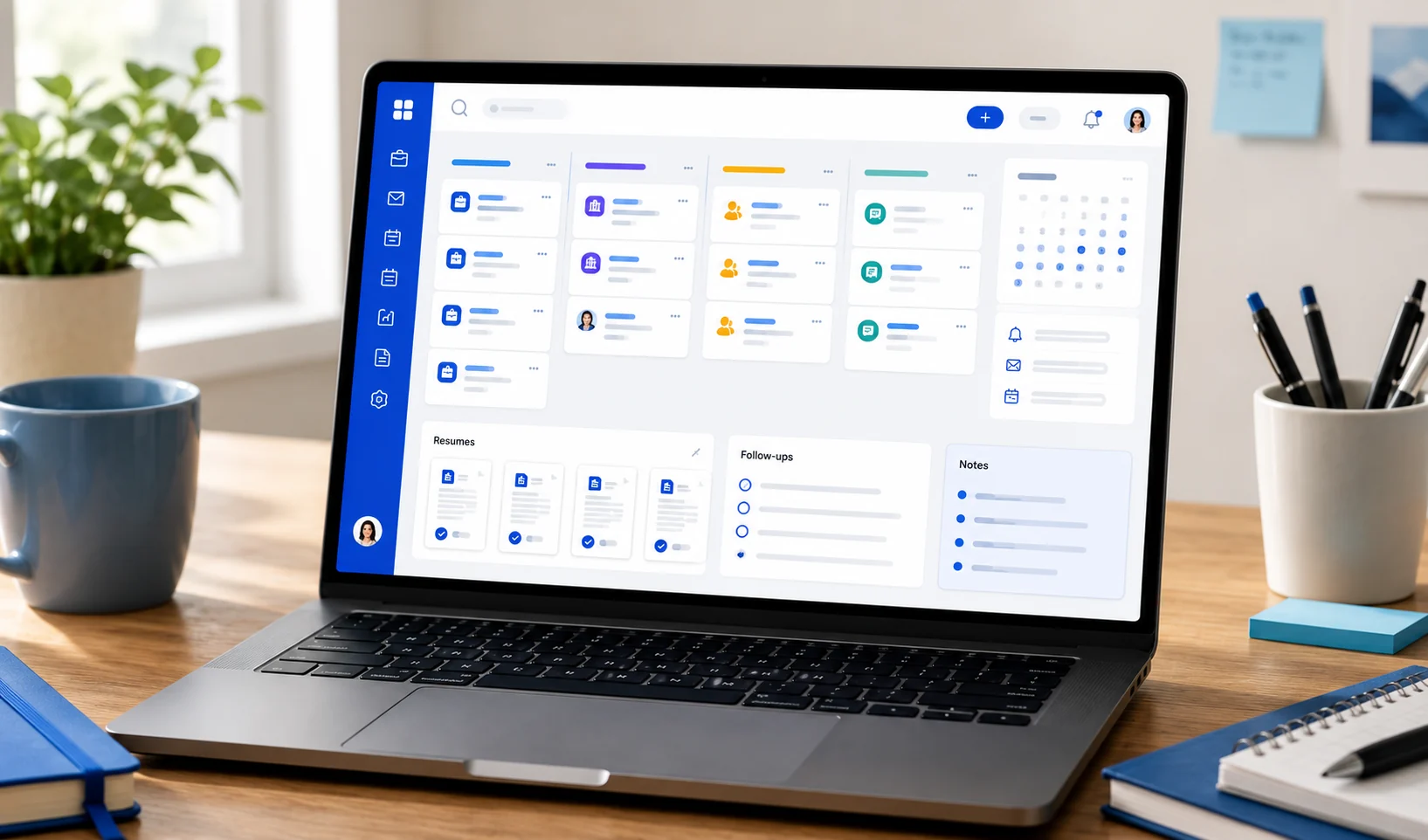
Best Job Tracking App for Applicants: What to Look For in 2026
A practical guide to choosing a job tracking app in 2026, with the features applicants actually need to track applications, follow-ups, resumes, notes, and outcomes.
Reading note
This guide is written for applicants who need a practical next step, not generic career advice.
Most job searches do not fall apart because someone forgot how to apply.
They fall apart because the search becomes too scattered to manage.
One role is saved in a browser tab. Another is in a spreadsheet. A recruiter email is buried in your inbox. The resume you used has a filename you barely recognize. The written application answer you spent 20 minutes on is gone forever.
That is the real job search problem a good job tracking app should solve.
The short answer: the best job tracking app for applicants is the one that keeps your full application context in one place without making you maintain a fragile spreadsheet.
If it only stores company names and statuses, it is not enough. Your tracker should help you remember what happened, what is next, and which applications deserve attention this week.
What a job tracking app should actually do
A job tracking app is not just a prettier list of jobs.
At minimum, it should help you answer these questions fast:
- Which jobs have I saved?
- Which jobs have I applied to?
- What stage is each application in?
- Which applications need a follow-up?
- Which resume did I use?
- What notes, recruiter details, or application answers should I remember?
- Which roles are stale enough to close?
That last point matters. A job search gets stressful when everything looks equally active. A good tracker separates real opportunities from old silence.
If you want the deeper category definition, start with What Is a Job Application Tracker and Do You Actually Need One?.
The features that matter most in 2026
There are plenty of job search tools with big feature lists. The useful question is simpler: what reduces applicant chaos?
| Feature | Why it matters |
|---|---|
| Saved and applied jobs | Keeps prospects and active applications separate |
| Pipeline stages | Shows what is waiting, moving, or closed |
| Follow-up dates | Prevents missed nudges and awkward late emails |
| Resume version tracking | Helps you remember what each employer saw |
| Application Q&A | Preserves written answers you may reuse later |
| Notes and recruiter context | Keeps interview prep from becoming detective work |
| Search and filters | Lets you find old roles without scrolling forever |
| Free core tracking | Makes the tool usable while you are actively job hunting |
The best job tracking app does not need to be complicated. It needs to be reliable at the exact moments your memory is not.
Continue with JobLumy
Use a free tracker built for applicants
JobLumy is free for applicants and keeps jobs, stages, follow-ups, resumes, private notes, and application Q&A in one place.
Why spreadsheets stop being enough
A spreadsheet can work early in a search. It is familiar, flexible, and easy to start.
The problem is maintenance.
A spreadsheet asks you to design the system, update every field, paste every link, remember every follow-up, and create every useful view yourself. That is fine for 10 applications. It gets weaker when you are managing 40 roles, several resume versions, recruiter conversations, and interviews.
The first warning sign is not that your spreadsheet is messy.
The warning sign is that you stop trusting it.
Once you are not sure whether the spreadsheet is current, you drift back to tabs, memory, and inbox searching. At that point, the tracker has stopped doing its job.
For a focused spreadsheet comparison, read Job Application Spreadsheet Template vs Free Job Tracker.
How to compare job tracking apps
Use this checklist before choosing a tracker:
- Can you add a job quickly enough that you will actually do it?
- Can you separate saved jobs from applied jobs?
- Can you see the full pipeline without rebuilding a spreadsheet view?
- Can you store notes, Q&A, resumes, and follow-ups next to the application?
- Can you close stale roles without deleting useful history?
- Can you use the core tracker for free?
- Does the product feel built for applicants, not recruiters?
That last question is important. Recruiters have applicant tracking systems because hiring pipelines are complex. Applicants have pipelines too. They are just usually forced to manage them with weaker tools.
When a broader career suite makes sense
Some tools are broader than tracking. For example, Teal positions its tracker alongside resume, keyword, contact, email template, and job search tools on its official job tracker page. Simplify emphasizes job matching, autofill, resume tailoring, and tracking on its homepage.
That can be useful if you want one large career suite.
But broader is not always better. If your main problem is application clarity, you should judge every app by the tracker itself:
- Is the pipeline easy to update?
- Is application context easy to preserve?
- Is the free tier enough for real tracking?
- Does it help you make decisions, or just store more data?
If the tracker is buried under features you do not need, you may stop using it.
A simple job tracking workflow
Here is a practical workflow that works whether you use JobLumy or another tracker:
| Moment | What to record |
|---|---|
| When you save a role | Company, title, URL, location, salary if visible, why it looks interesting |
| When you apply | Applied date, resume used, written answers, referral or recruiter details |
| After one week | Follow-up status or next review date |
| After recruiter contact | Contact name, conversation notes, next step |
| After interview | Interview round, prep notes, concerns, next action |
| After long silence | Mark stale or closed so it stops cluttering the active pipeline |
The point is not to record everything. The point is to prevent the same costly question from repeating:
“Wait, what happened with that job?”
Best fit: JobLumy for applicant-first tracking
JobLumy is designed around the applicant-side workflow: saved jobs, applied jobs, stages, follow-ups, resumes, notes, application Q&A, and outcomes.
It is also free for applicants.
That matters because job seekers should not have to pay just to keep their search organized. A tracker becomes more valuable the more consistently you use it, and consistency is easier when the core workflow is not locked behind a paywall.
JobLumy is a strong fit if:
- you want a clean place to track every application
- you want to stop relying on a job tracking spreadsheet
- you care about saving Q&A and resume context
- you want follow-ups and stale applications to be easier to manage
- you want a free tracker built from the applicant perspective
If you are comparing specific tools, we also have deeper comparisons:
- Teal vs JobLumy: Which Job Application Tracker Fits Your Search?
- Simplify vs JobLumy: Which Free Job Tracker Should You Use?
FAQ
What is the best job tracking app for applicants?
The best job tracking app is one that lets you track saved jobs, applied jobs, stages, follow-ups, resumes, notes, and application answers without turning the process into manual spreadsheet upkeep. For applicants who want a free tracker, JobLumy is built around that workflow.
Is a job tracking app better than a spreadsheet?
For a short search, a spreadsheet can be enough. For a longer or higher-volume search, a dedicated tracker is usually easier because stages, follow-ups, notes, and application context are built into the workflow.
What should I track in a job search?
Track the company, role, job URL, date saved, date applied, stage, follow-up date, resume version, recruiter details, notes, and any written application Q&A.
Should a job tracker be free?
At minimum, core job tracking should be free enough to use during an active search. Paid AI or resume features can be useful, but applicants should not need to pay just to remember where they applied.
Key takeaways
- A job tracking app should preserve context, not just count applications.
- Spreadsheets work early but often break down when follow-ups, resumes, and notes multiply.
- The best tracker is the one you will update consistently.
- Free applicant-first tracking is the strongest starting point for most job seekers.
Keep reading
More practical guides for your search
Move from this article into another concrete workflow, checklist, or comparison.
Best Job Application Trackers in 2026: Free and Paid Options for Job Seekers
A practical comparison of the best job application trackers in 2026, including free and paid options for job seekers who want to stay organized and stop losing track of applications.
Read next7 min readWhat Is a Job Application Tracker and Do You Actually Need One?
A clear explanation of what a job application tracker does, when spreadsheets stop working, and how job seekers can keep their search organized without losing context.
Read next8 min readWhy JobLumy Is Different
Most job trackers only organize your search. JobLumy adds applicant-side visibility through community insights, helping job seekers understand response patterns without pretending to see inside employer systems.
Read next