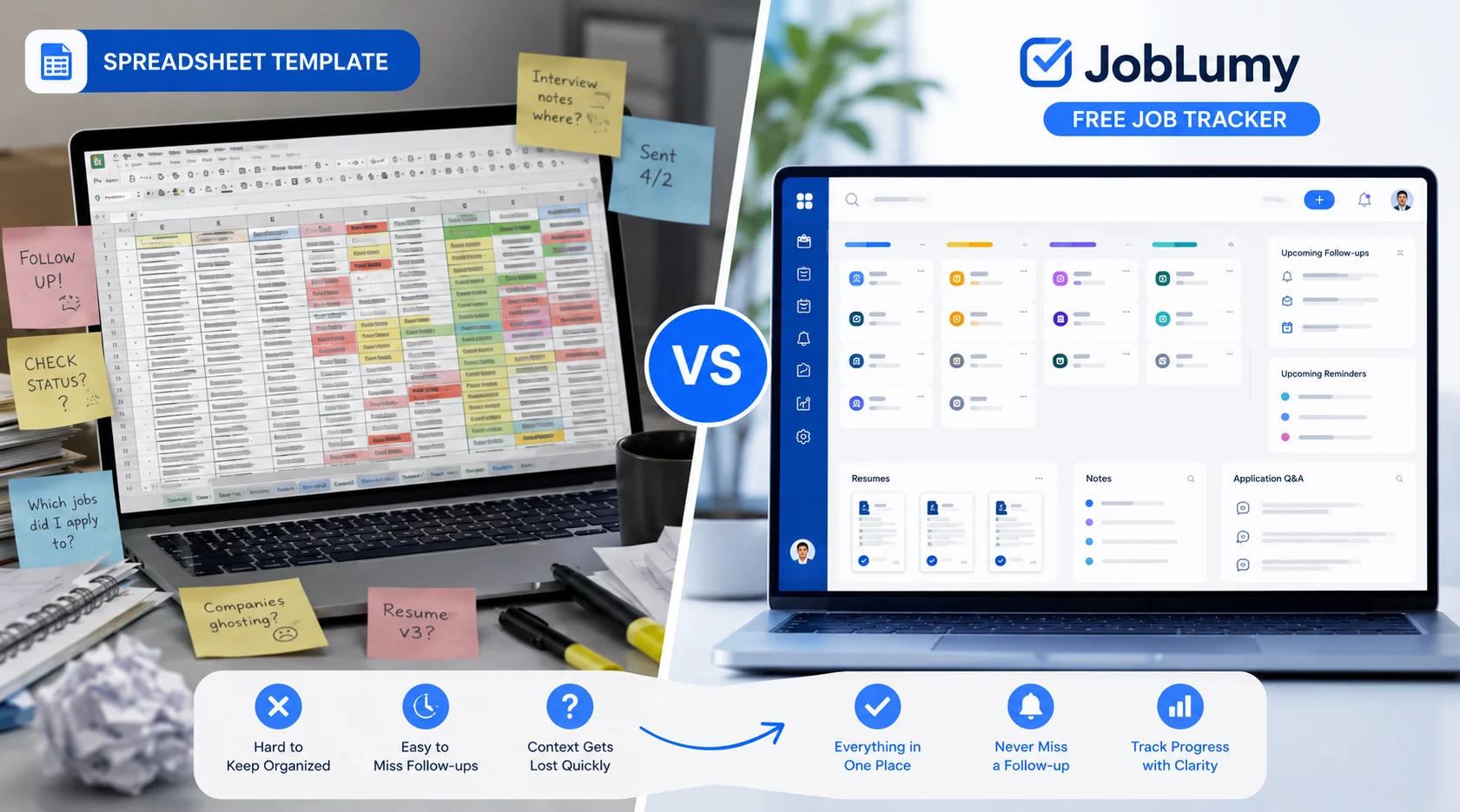
Job Application Spreadsheet Template vs Free Job Tracker
Compare a job application spreadsheet template with a free job tracker, including what columns to use, where spreadsheets break down, and when to switch tools.
Reading note
This guide is written for applicants who need a practical next step, not generic career advice.
A job application spreadsheet template is a useful first step.
It gives you a place to list companies, roles, statuses, and dates instead of trying to hold your entire search in your head.
But there is a point where a spreadsheet stops feeling like a system and starts feeling like homework.
The short answer: use a job tracking spreadsheet if your search is small and simple. Use a free job tracker when you need stages, follow-ups, resumes, notes, and application answers to stay connected without manual upkeep.
This article compares both options so you can choose the one that fits your search right now.
What to put in a job application spreadsheet
If you are starting with a spreadsheet, keep it practical. Do not build a giant template you will abandon after a week.
Use these columns:
| Column | Why it matters |
|---|---|
| Company | The main anchor for the application |
| Role title | Helps you search and compare roles |
| Job URL | Lets you revisit the original posting |
| Source | LinkedIn, company site, referral, job board, or recruiter |
| Status | Saved, applied, interviewing, offer, rejected, closed |
| Date saved | Shows how long a role has been sitting |
| Date applied | Helps with follow-up timing |
| Follow-up date | Prevents forgotten nudges |
| Resume used | Helps you remember which version the employer saw |
| Recruiter or contact | Keeps people context attached |
| Notes | Stores anything you need before replying or interviewing |
| Application Q&A | Preserves written answers from the form |
That last column is easy to skip, but it is one of the most useful. Many applications ask short written questions. If you do not save your answers, you lose material you could reuse later.
For a broader workflow, read How to Track Job Applications Without Losing Your Mind.
Spreadsheet template vs free tracker
Here is the practical difference:
| Need | Spreadsheet template | Free job tracker |
|---|---|---|
| Quick start | Strong | Strong |
| Custom columns | Strong | Depends on product |
| Visual pipeline | Manual setup | Built in |
| Follow-up workflow | Manual formulas or reminders | Built in or easier |
| Resume context | Manual | Attached to application |
| Application Q&A | Manual cells become messy | Built for entries and notes |
| Search and filtering | Strong if maintained | Built in |
| Long-term consistency | Weakens as volume grows | Better if the tracker is lightweight |
| Cost | Free | Should be free for core tracking |
A job tracker spreadsheet is not bad. It is just limited by how much work you are willing to do every time something changes.
Continue with JobLumy
Replace the spreadsheet with a free job tracker
JobLumy is free for applicants and keeps roles, stages, follow-ups, resumes, notes, and application Q&A together without spreadsheet maintenance.
When a job tracking spreadsheet is enough
A spreadsheet is probably enough if:
- you are applying to fewer than 10 roles
- you only need company, title, URL, and status
- you do not have multiple resume versions
- you are not juggling recruiter calls or interview rounds
- you enjoy maintaining your own system
In that case, keep the spreadsheet simple. Add a status column, a next-action column, and a weekly review habit.
The mistake is trying to turn a spreadsheet into a full product. Once you need dashboards, reminders, detailed notes, Q&A history, and attachments, you are spending too much time maintaining the tracker instead of running the search.
When to switch to a free job tracker
Switch when your spreadsheet creates more friction than clarity.
Common signs:
- You forget to update it after applying.
- You cannot tell which roles need follow-up.
- You paste long notes into tiny cells.
- You cannot remember which resume you used.
- You keep searching your email for recruiter context.
- You have old roles sitting in “Applied” even though they are clearly stale.
- You copy the same application answers into different places.
At that point, the spreadsheet has stopped being lightweight.
The better move is to use a free tracker that already understands the job search workflow.
The hidden cost of a free spreadsheet
Spreadsheets are free in the obvious sense. They do not cost money.
But they can cost attention.
Every manual update is a small decision:
- Which column should this go in?
- Did I already add this role?
- Should I create a new status?
- Where do I put this recruiter note?
- How do I remember to follow up?
Those decisions are not hard individually. The problem is repetition. A job search already has enough repetitive work. Your tracking system should remove some of it.
This is why many applicants start with a job tracker spreadsheet and eventually move to a dedicated tracker.
What “free job tracker” should mean
Be careful with “free” tools.
Free should mean you can actually track your job search, not just test a limited demo.
A useful free job tracker should let you:
- save jobs
- track applications
- update stages
- store notes
- manage follow-ups
- preserve application context
- review your active pipeline
Paid upgrades can make sense for advanced AI, resume optimization, or premium automation. But applicants should not have to pay just to stay organized.
That is why JobLumy keeps applicant tracking free.
A clean migration path
If you already have a spreadsheet, do not overcomplicate the switch.
Start with your active roles:
- Move current interviews and recent applications first.
- Add saved roles you still care about.
- Leave old rejections and stale roles in the spreadsheet unless you need the history.
- Add resume notes only where they matter.
- Save future application Q&A directly in the tracker.
You do not need to migrate every row perfectly. You need a trustworthy current pipeline.
Recommended approach
Use a spreadsheet if you need a quick temporary list.
Use a free job tracker if you want a system you can keep using after the search gets real.
For most active applicants, the tracker wins because it matches the shape of the work: stages, dates, resumes, notes, follow-ups, and outcomes.
If you are comparing tracker categories next, read Best Job Tracking App for Applicants: What to Look For in 2026.
FAQ
What is the best job application spreadsheet template?
The best template is simple: company, role, URL, source, status, date saved, date applied, follow-up date, resume used, recruiter, notes, and application Q&A. If you need much more than that, a tracker may be easier.
What is a job tracking spreadsheet?
A job tracking spreadsheet is a spreadsheet used to organize saved jobs, applications, statuses, dates, contacts, and follow-ups during a job search.
Is a free job tracker better than a spreadsheet?
For active searches, yes. A free job tracker is usually better when you need pipeline stages, follow-ups, notes, resume context, and written application answers connected to each role.
Can I use both a spreadsheet and a tracker?
You can, but avoid double entry. If you use both, keep the tracker as the source of truth and use the spreadsheet only for exports or reporting.
Key takeaways
- A spreadsheet template is useful for a small, early-stage search.
- A free job tracker is better once applications, notes, resumes, and follow-ups multiply.
- The best system is the one you can keep current without extra stress.
- JobLumy gives applicants a free tracker for the workflow spreadsheets struggle to maintain.
Keep reading
More practical guides for your search
Move from this article into another concrete workflow, checklist, or comparison.
Simplify vs JobLumy: Which Free Job Tracker Should You Use?
A factual Simplify vs JobLumy comparison for applicants choosing between autofill-first job search tooling and a free applicant-first job tracker.
Read next8 min readWhy JobLumy Is Different
Most job trackers only organize your search. JobLumy adds applicant-side visibility through community insights, helping job seekers understand response patterns without pretending to see inside employer systems.
Read next6 min readNot Hearing Back From Jobs? The Real Problem Is Visibility
A short, practical read for applicants who are not hearing back from jobs, why silence feels so draining, and how JobLumy helps turn ghosting into a clearer job search pipeline.
Read next